
CPQ / Product Configurator – More efficient working methods and more customers
CPQ and configurator – what is it?
CPQ stands for Configure, Price, Quote. A CPQ tool, or product configurator as we often call it, enables salespeople and perhaps even customers to quickly and easily put together a product and get a BOM/bill of materials , a price and/or a drawing, a product sheet or assembly instructions, etc.
A CPQ system is a digital tool in sales that is used by salespeople or by the customer themselves to quickly, easily and flawlessly put together desired and valid choices/items into a complete offer. Often one might think that it is mostly for complex and technical products, or dynamic products such as pallets and scaffolding. But it can of course be all sorts of items and services that can be advantageously selected and built together into a product or an offer in a CPQ.

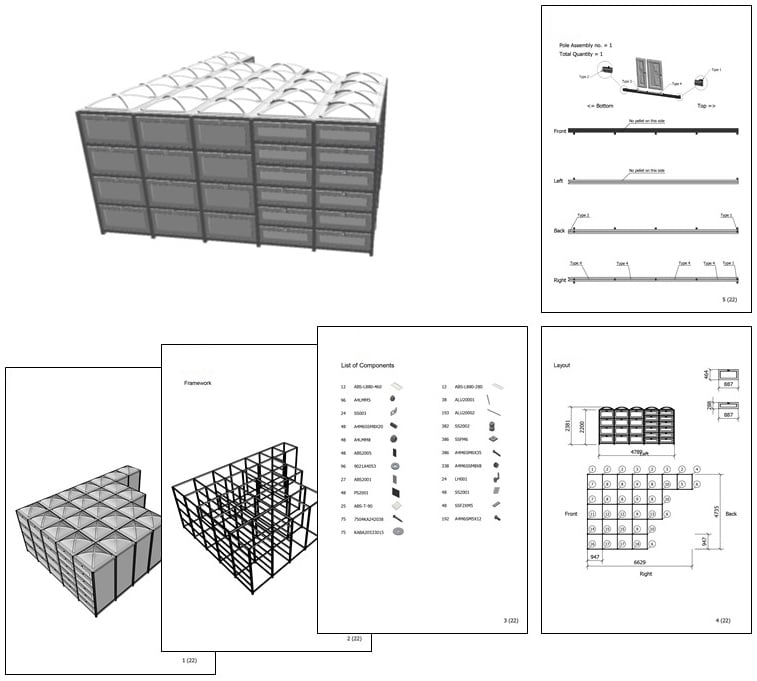
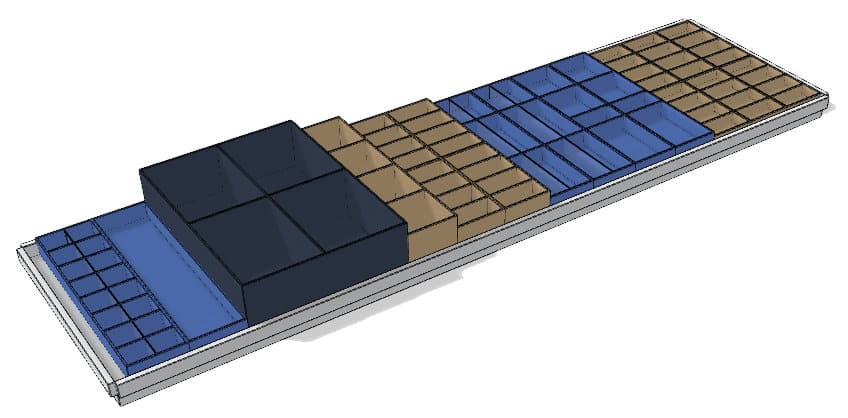
Not always PQ.
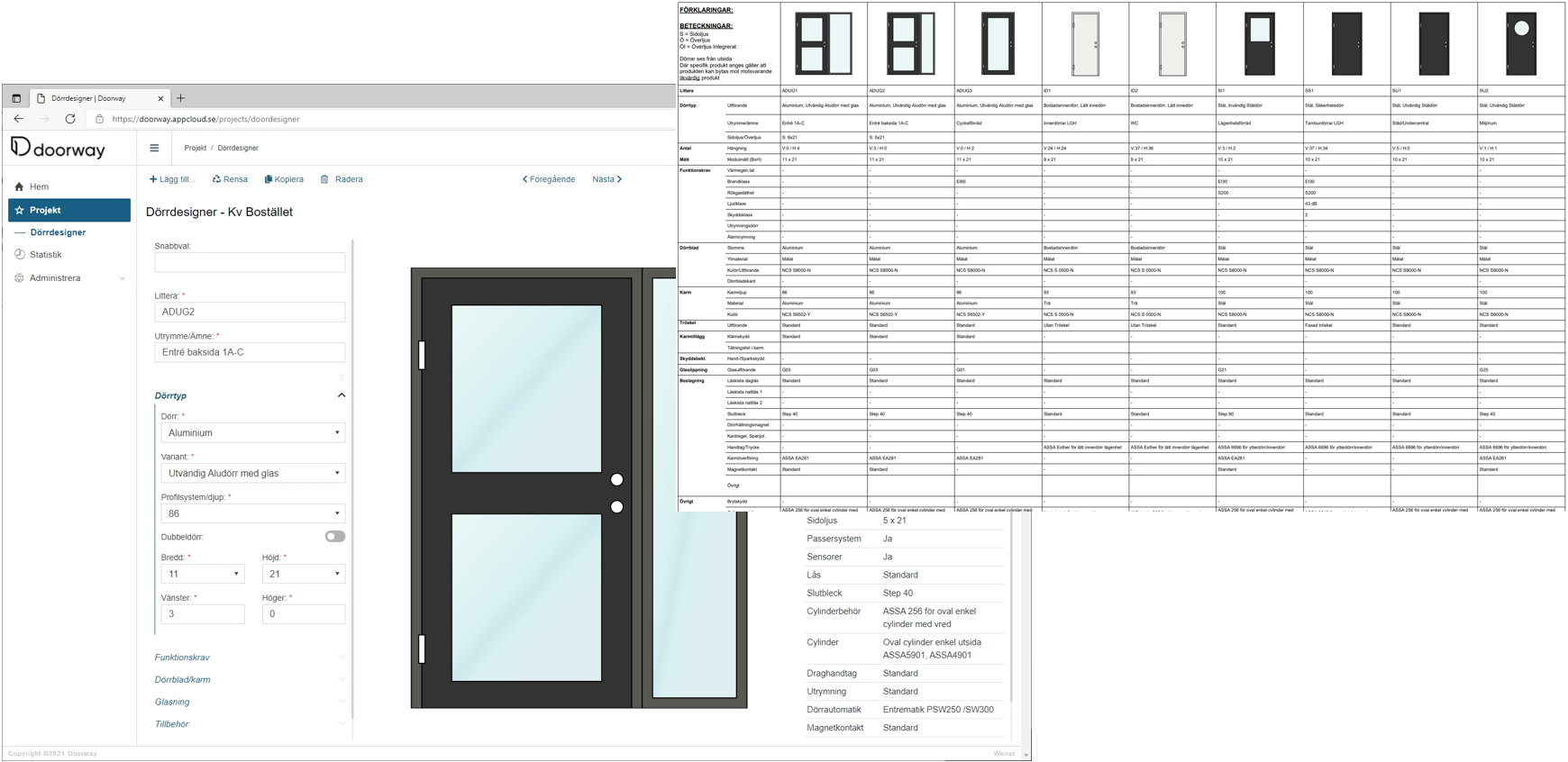
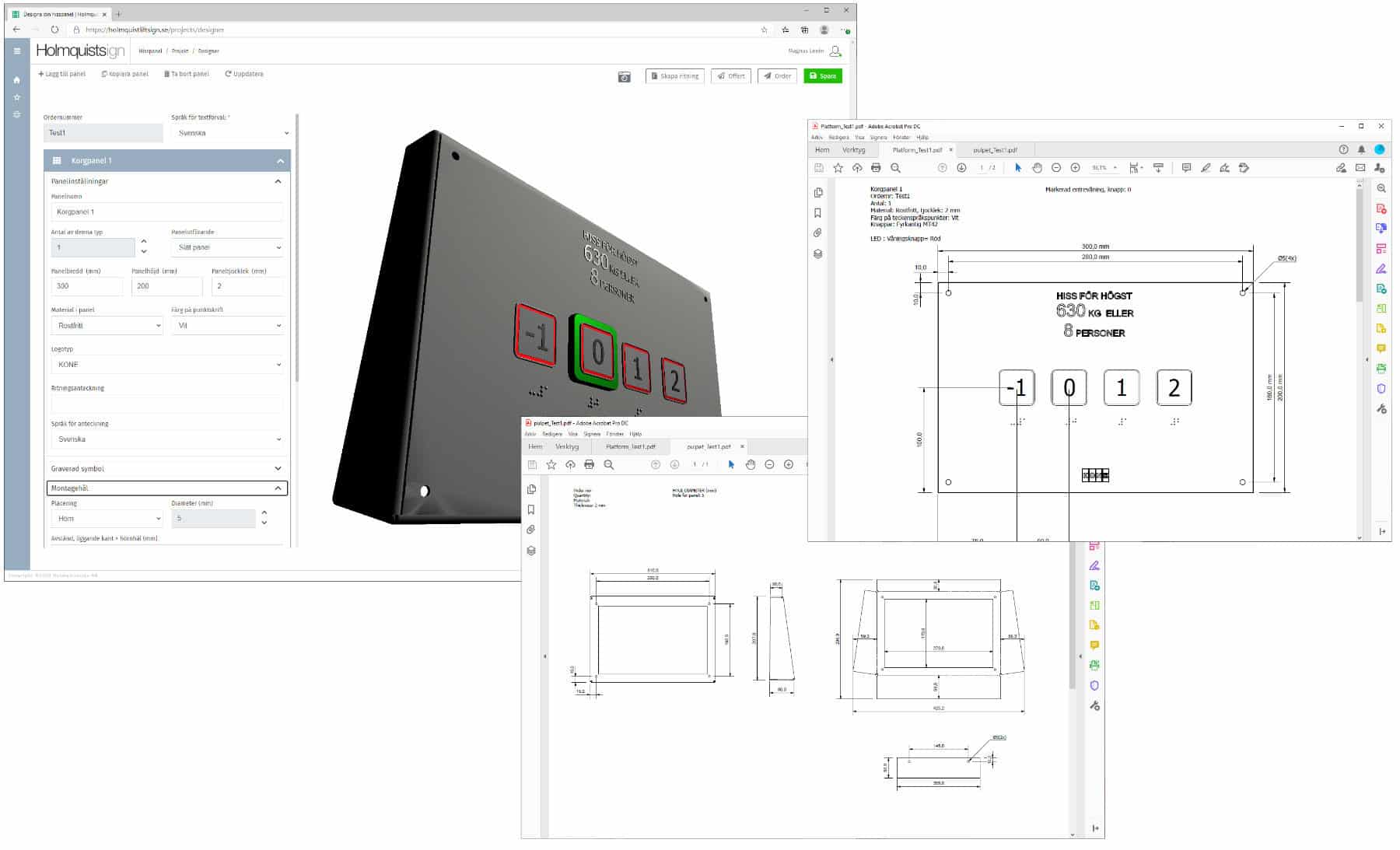
Sometimes it is important to be able to quickly make calculations or automatically generate technical specifications, drawings, assembly instructions, etc. That is, only focus on C as in Configure, not P as in price or Q as in quote. Of course, it is often desirable to also show a price or generate a complete quote. But sometimes it may be more important to automatically and quickly generate an assembly instruction, image, 3D model, BIM object.
It also usually turns out that far from all companies have a handle on their business logic, or rather, they have a handle on it, but the way they work or sell today does not match how the items were once set up in the business system. For this reason, industry changes or other reasons, it may be wise to wait with P and/or Q, and start with a C. That is, only a configurator to put together an offer with, for example, items, products or services.
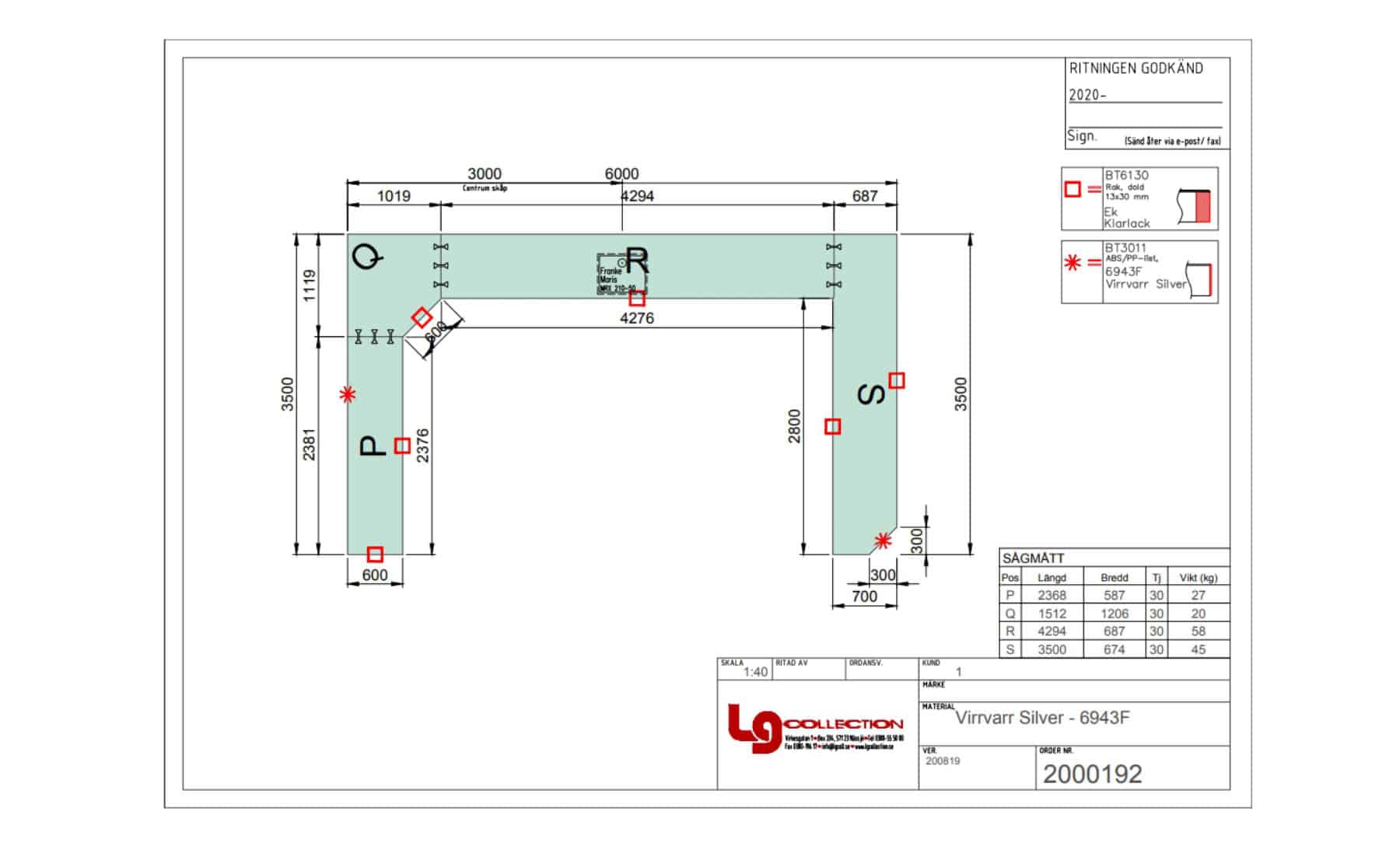
Benefits of a CPQ / product configurator.
There are many advantages to using a product configurator to put together items:
Saves time
Making calculations, developing a material specification and writing/drawing/describing the customer's wishes often takes a long time. With a product configurator, much can be automated and accelerated. We have examples of when Wengine CPQ reduced the quote time from 4-5 hours to 3-5 minutes.
Always right
In a properly built configurator, it is not possible to make mistakes by, for example, calculating incorrectly or choosing incompatible items, the wrong currency/discounts, etc.
Faster completion
A customer quickly gets a clear picture and a good basis for decision-making, which often speeds up a purchase decision. Many times the customer may also be able to configure and order the desired items themselves, which further saves time and triggers purchase decisions.
Added value to the customer
Clear quotes, specifications and the possibility of customer-specific aftermarket are some of the many advantages of a product configurator.
Higher quality
There's no room for error! A product configurator has complete control over the number of items in a desired configuration and which items can/may be selected, etc. The customer receives exactly the parts needed and, for example, a customer-specific specification, instruction or assembly instructions.
Dispatch more orders with the same staff
It's quick to work in a configurator and send quotes, and when a quote becomes an order, it can be automatically sent to the desired business system and/or invoicing program.
The customer can build their own product
Having the customer build their own product saves a lot of time, of course. But another good thing is that the customer verifies and approves their configuration and order. This minimizes discussions about who entered the wrong dimensions or misspelled something, and you may not have to send a new product for free.
Trigger purchasing decisions and streamline flows.
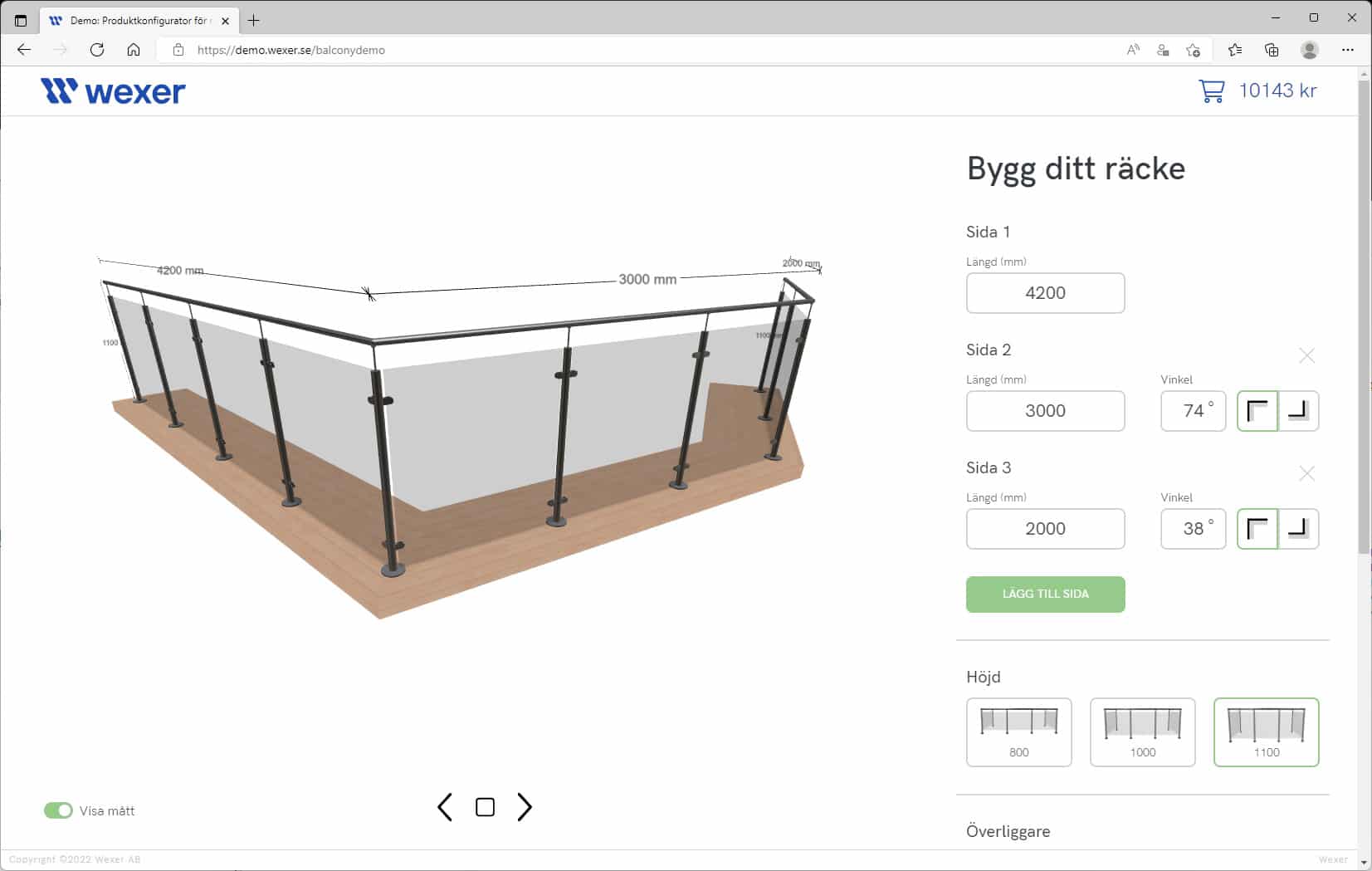
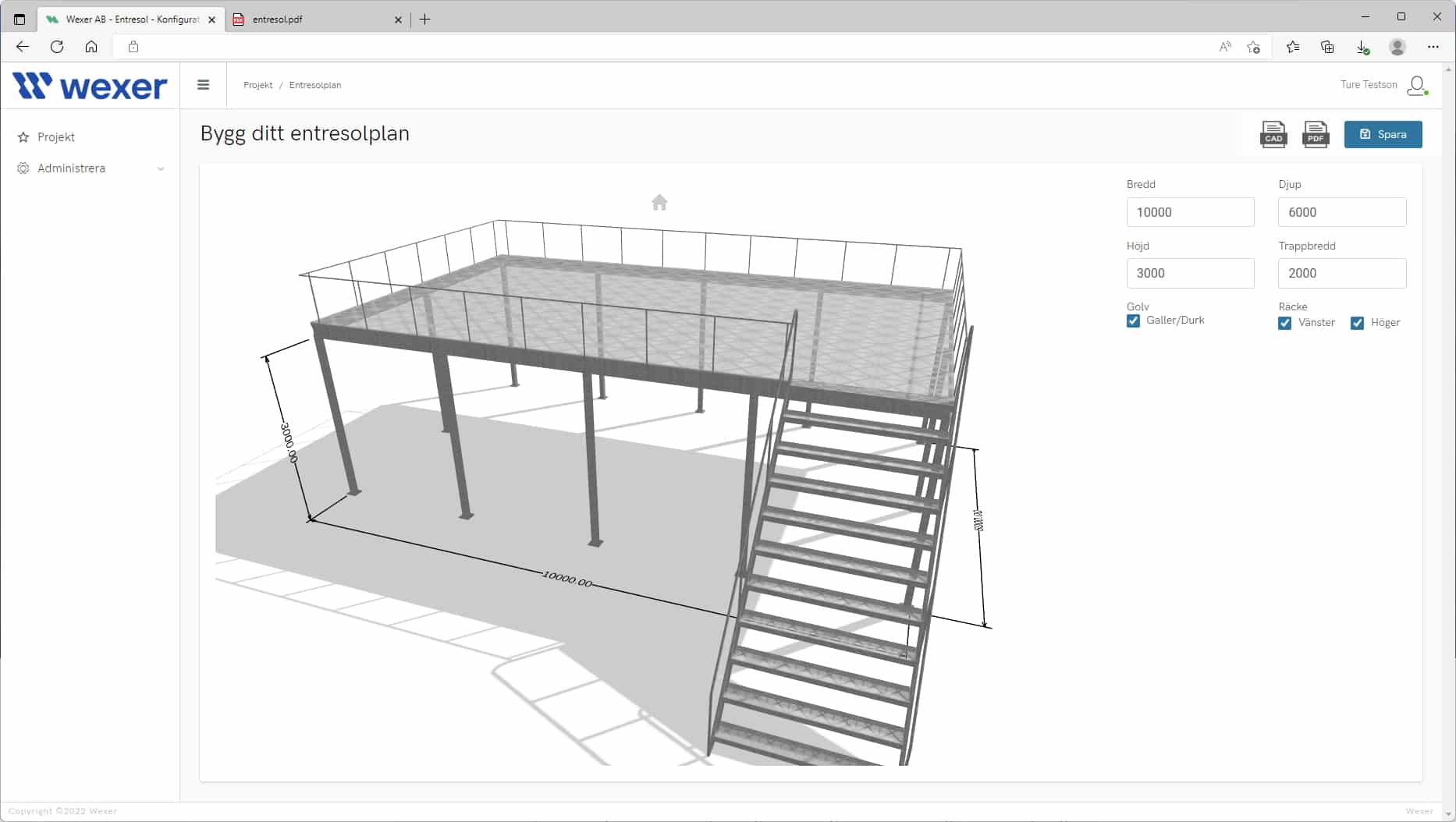
Some things that vary in a CPQ or product configurator are, as we mentioned earlier, what you want to get out of what you choose and put together. Sometimes it is important to quickly trigger a purchase decision by showing the assembled parts in an image or in a 3D model, as we do in our railing demo and mezzanine demo, for example, and sometimes the goal is to quickly make calculations and produce data, assembly instructions, drawings, technical specifications, product sheets, etc.
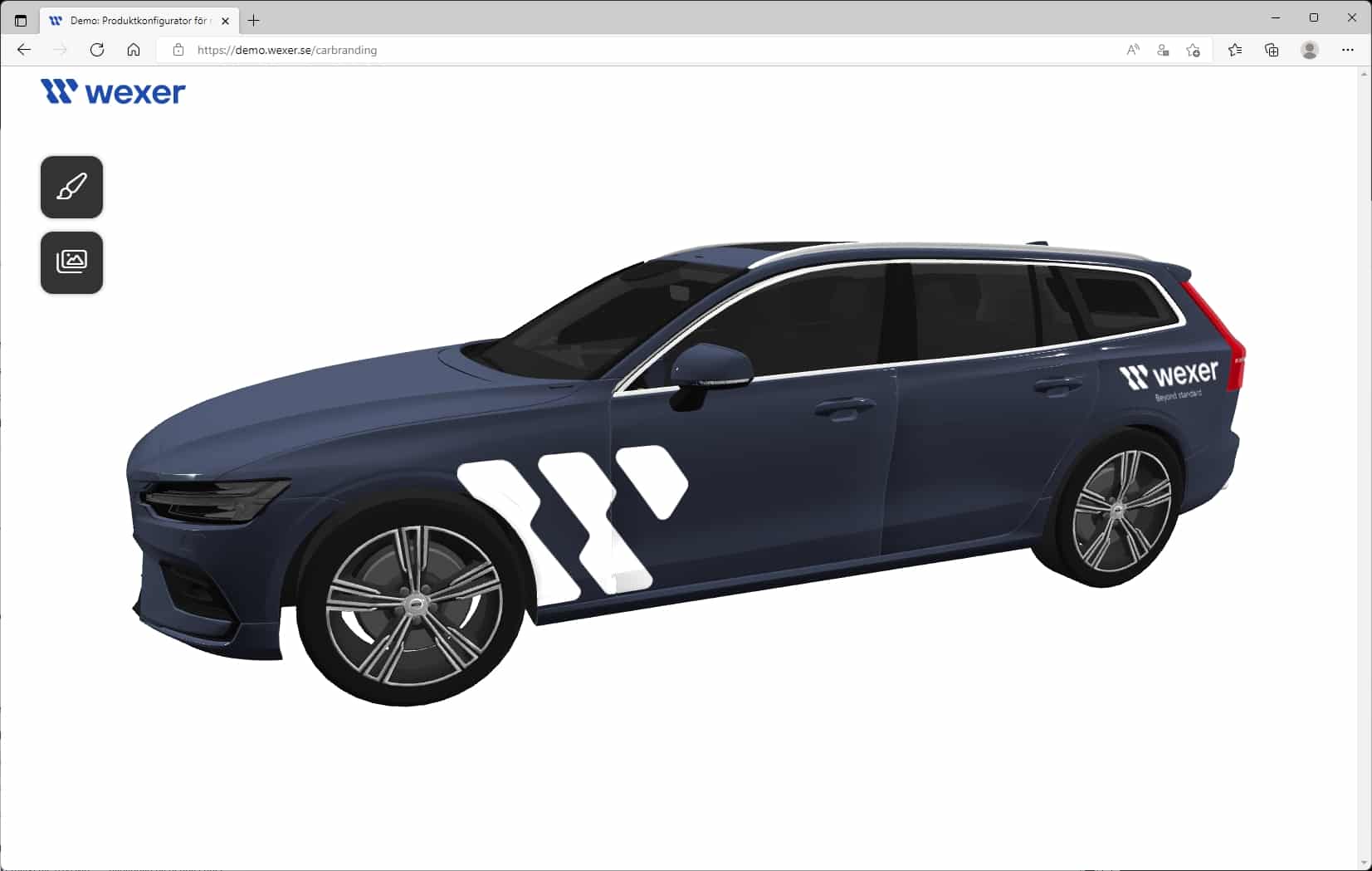
Another thing you can do with 3D is to easily give a sense of what something will look like, for example testing the size and placement of logos on a car, as we do in our car branding-demo.
When it comes to what you want to get out of a configurator, the sales side often wants one thing and administrators and engineers another. It also turns out quite often that you don't have a complete overview of your articles and processes, and that new/different requests often appear during the journey. Our recommendation is therefore always; don't do everything at once. Grab the low-hanging fruit first.
Business system with product configurator?
There are many business systems that offer modules for CPQ systems and product configuration. Sometimes they are really good and fit the business perfectly, sometimes they are nothing special and lack the functionality you want. A common thing can be, for example, that it is not possible to put the configurator on your or your reseller's website so that customers can use the configurator themselves.
They also often require expensive specialist expertise to implement a CPQ module and the desired items/models. And perhaps the business system is not as dynamic to further develop or integrate with other systems as you would like. It may also be that the business system you once chose simply does not have a product configurator.
Integration with other systems.
Today, companies often have a plethora of different digital tools and systems to streamline their operations. These can include various business systems, ERP systems, accounting systems, sales support systems, project management systems, customer portals, various machine optimization programs, etc.
Unfortunately, it is often difficult and sometimes even impossible to integrate your systems with each other and take advantage of all the advantages and possibilities of the different systems.
This is where our platform Wengine comes in handy. Wengine has API for communicating with other systems such as Monitor, Pyramid and Fortnox, and Wengine can, for example, complement them by making data easily accessible, automating flows, allowing the customer to build their own product or see their orders and previous orders, etc. Only your imagination sets the limits.
Advantages of Wengine CPQ.
A great thing about our platform Wengine is that we are completely free to code exactly as we want. We don't have to (if we don't want to) adapt to a standard look and feel of an interface or say that we can't integrate with a certain system. There are also no frameworks or guidelines that we have to strictly follow that limit our systems. We can easily build new functionality completely according to the customer's specific wishes, as new wishes/directions arise.
We simply don't build ourselves into corners. And we always build completely according to the customer's wishes. This makes it possible to start with a small system and develop the system over time, as new needs and wishes arise. We always work in a close relationship with the customer, which results in intuitive and simple web systems that are truly appreciated and used.
Our main goals when building a sales and configuration tool.
It should be quick and easy to select and assemble desired items according to the customer's wishes.
It should be possible to automatically generate, for example, an image, 3D model, BOM list, BIM object, assembly instructions, product sheet, quote, order, drawing, technical specification or similar.
It should not be possible to select incompatible items or items that for some reason do not fit together or cannot be selected.
It should be integrated with other systems such as business systems, financial systems, CRM systems, machines, etc.
Wengine often complements a business system by being a more accessible and flexible system that can also take on slightly different roles in the business:
Wengine CPQ
Wengine Sales Tools
Wengine Self-control
Wengine Business Systems
Wengine Customer Portal
Wengine often becomes the spider in the web that can quickly adapt and integrate with other systems and complement them with functionality and easily accessible role-controlled functions and interfaces.
Want to know more?
Wengine
With our self-developed platform Wengine, we can develop quickly and cost-effectively. The platform has basic functionality and a flexible architecture.
3D configurator
CPQ
Sales support
Customer portal
Integrations
Internal systems


Beyond standard.
Wexer is not the company that settles for standard. Because we see the uniqueness in our customers' services and products. As an IT partner, we want to be part of our customers' long-term development and build the solutions that give you the most opportunities to take your business to the next level.